Use a shared tablet as your employee time clock
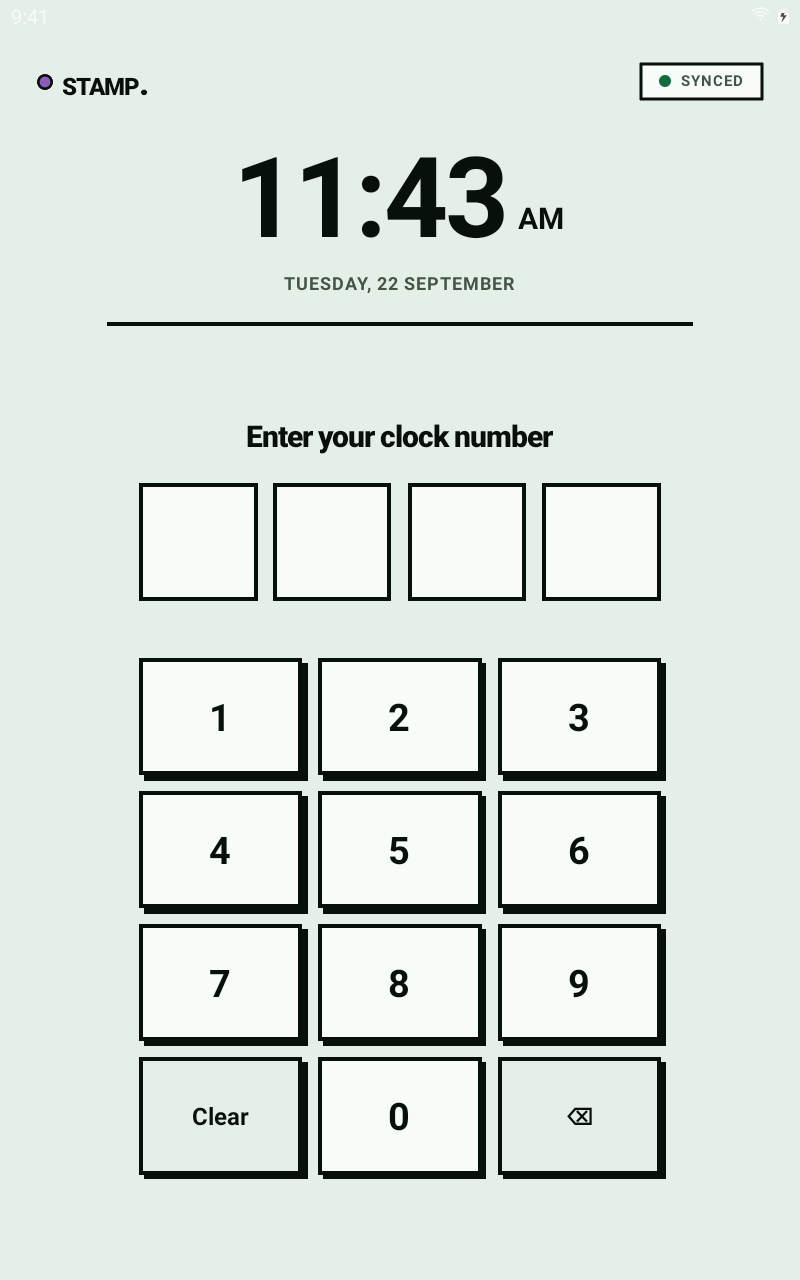
A shared time clock lets employees record their hours on one device at work. With STAMP, each employee enters their own PIN on the tablet when clocking in or out.
When a shared device makes sense
If your team starts work in the same place, a tablet by the staff entrance gives everyone one place to clock in. Employees do not need to use their own phones for this workflow. Managers review the resulting timesheets in a web browser.
What you need
STAMP is software; you supply the device. Choose a supported phone or tablet, keep it charged and provide an internet connection. A larger tablet makes the screen easier to share. Check the current device requirements before buying anything.
A camera is needed only if you enable photo checks. Photos are for manager review, not facial recognition or signing in.
Set up the first clock-in
- Create your employer account and add the employees who will record time.
- Set up the shared device for your organisation and make sure employees have their PINs.
- Choose which checks your workplace needs. Explain any photo or location checks to employees before their first shift.
- Have an employee clock in and out, then check that their time appears in the manager view.
Review hours before payroll
At the end of the pay period, review the recorded hours and resolve missing or incorrect entries. Approve the timesheets, then download a CSV of approved hours. Your payroll system calculates pay and makes payments.
What if someone works away from the tablet?
STAMP also supports personal-phone clocking and manual time entry. Employee permissions determine whether they can add or change entries. Pick the workflow that matches where each person works.
Can this connect directly to my payroll?
CSV export is available. Direct payroll connections are still in progress. Check the payroll page for the current position, and confirm your provider's import requirements before relying on a file.
Moving from handwritten hours? Read the first-pay-period guide.