Replace paper timesheets, one pay period at a time
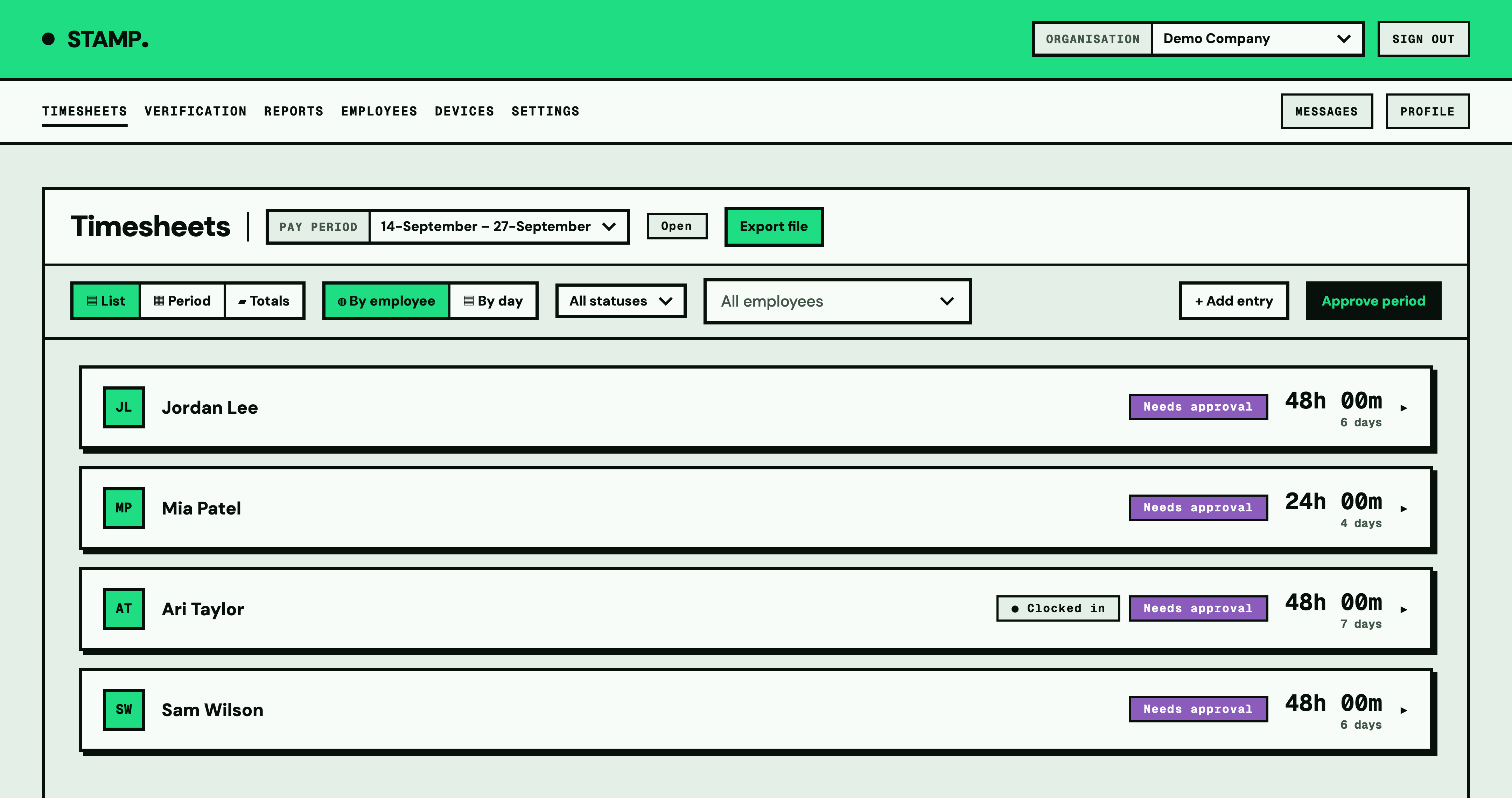
Start with the way your team already works. STAMP records employee hours, gives managers timesheets to review and exports approved hours as CSV for payroll.
Write down the process you are replacing
Note who records hours, who checks them and when payroll needs them. Include how you handle breaks, missed clock-ins and corrections. Use these details to configure the new workflow rather than changing everything at once.
Choose how people will record time
- A shared tablet suits a team that clocks in at the same workplace.
- Personal-phone clocking gives employees a way to record time on their own device.
- Manual entry lets authorised people enter hours by hand.
Choose employee permissions deliberately. You control whether employees can view their timesheets or add, edit and delete their own entries.
Try one complete pay period
- Add your employees and set pay-period dates that match your payroll.
- Show each person how to record their time and breaks.
- Check the first day's entries so setup problems are caught early.
- Before payroll, review the period, resolve exceptions and approve the hours.
- Download the CSV and check it against what your payroll process needs.
Handle corrections openly
Agree who employees should contact when an entry is wrong. Managers can review changes in the edit history. Check a corrected timesheet before it goes into payroll.
Keep payroll responsibilities clear
STAMP records worked hours and breaks. Your payroll system handles pay calculations and payments. A downloadable CSV does not guarantee that a particular payroll provider can import it unchanged. Check the current export options first.
Decide whether the change helped
After the first period, compare how long collection and review took, how many entries needed correction and whether employees found clocking straightforward. Use your own results to decide what to adjust.
Read the setup and permissions FAQ and the trial and pricing details before starting.